Computing
"In subjects such as computing and history, the curriculum is well sequenced. It builds on what pupils have already learned. This is helping pupils to remember and know more over time."
(Ofsted S5 Inspection Report November 2021)
At our school, the Computing curriculum is designed to equip students with essential digital skills and knowledge, fostering a safe and responsible approach to technology. We utilise the Purple Mash scheme, which provides a structured framework for sequencing learning across all year groups. This comprehensive programme ensures that students develop a robust understanding of computing concepts, from basic programming to more advanced digital literacy.
A cornerstone of our Computing curriculum is the emphasis on online safety. We recognise the importance of teaching students how to navigate the digital world responsibly, and therefore, online safety is integrated into every year group’s learning. Through engaging lessons, students are educated about the potential risks associated with online activities and the strategies to protect themselves and their personal information.
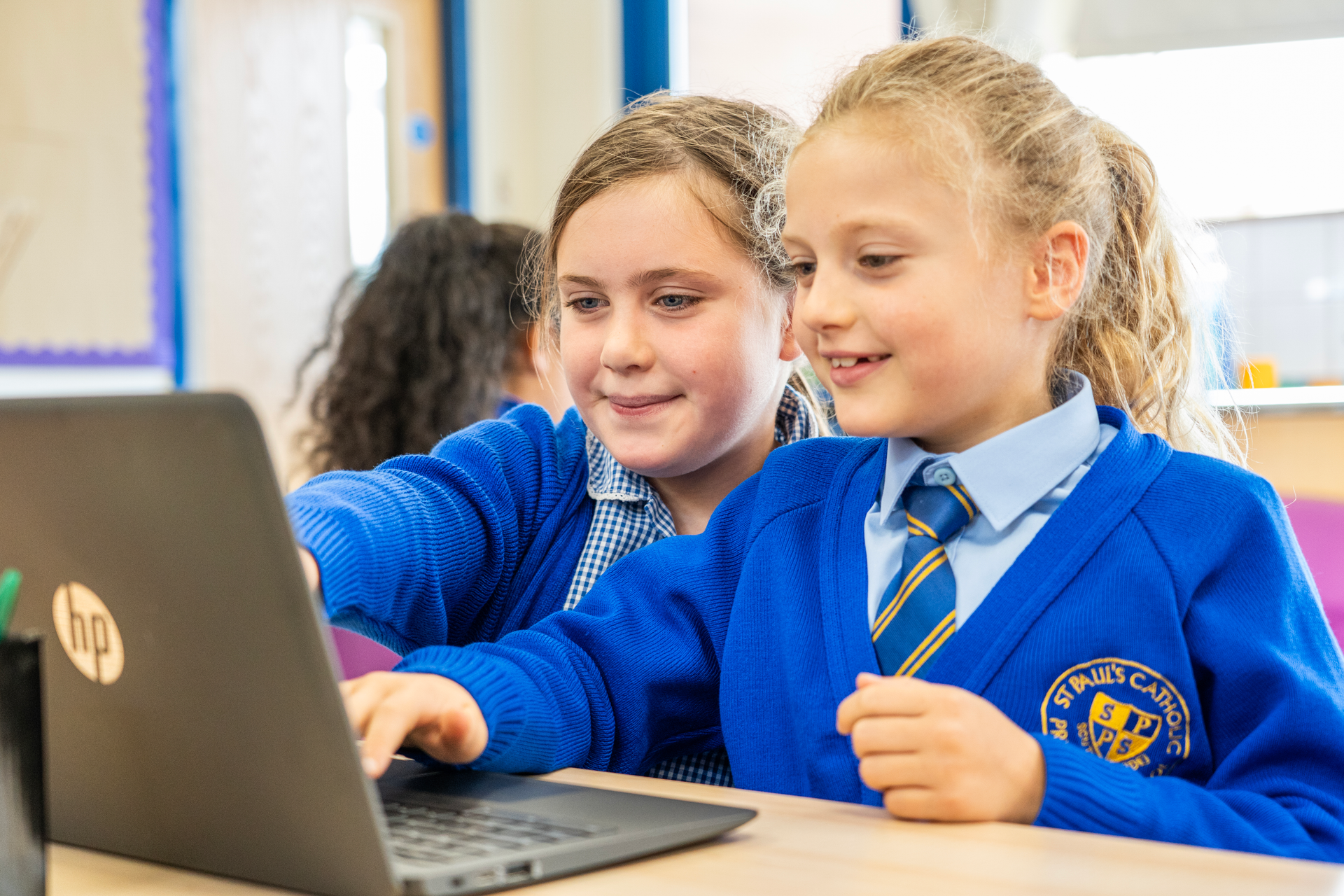
Our school is equipped with modern technology, including iPads and Chromebooks, which are employed throughout the curriculum to enhance learning experiences. These devices facilitate interactive lessons and allow students to engage with a variety of educational resources. However, to maintain a focused learning environment, the use of smartphones is not permitted within school premises.
In addition to traditional computing skills, we are committed to introducing students to the evolving landscape of technology, including artificial intelligence (AI). Students will explore the implications of AI in various fields, encouraging critical thinking and innovation. This exposure prepares them for a future where technology plays an integral role in everyday life.
To support our students’ learning and ensure a collaborative approach to online safety, we provide guidance for parents. Resources are made available to help families understand the importance of monitoring online activities and fostering open discussions about digital citizenship. By working together, we can create a safe and supportive environment for our students as they navigate the complexities of the digital age.

Computing Long Term Plan
| Name | Format | ||
|---|---|---|---|
| Files | |||
| Long Term Plan for computing.pdf | |||
Click on the links below to access Purple Mash.
Purple Mash is a wonderful website which enables children to explore creative resources to support English, Maths, Science, History, Geography and Art.

Preventing Online harm and abuse- NSPCC advice
Technology is an integral part of children’s and young people’s lives. It has transformed the way they learn, play, connect and communicate.
But these opportunities don’t come without risk. Children and young people may experience abuse online and they may be exposed to harmful content. And this can have a long-lasting impact on their wellbeing.
Every child deserves to be, and to feel, safe online. And we can all play a role in helping make online spaces safer for children and young people by:
- talking to children and young people about anything worrying they experience online
- recognising how important the online world is to children and young people, and talk to them about it
- making sure online safety is an ongoing part of your work with children and young people, not just a one-off session
- setting rules for the use of online platforms in your organisation. Involve children and young people in setting these and make sure they’re well understood
- using technical solutions to manage access to online platforms and make sure everyone knows about and understands why you’ve put them in place
- helping children and young people understand and manage their privacy settings online.
For further information, please follow this link: https://learning.nspcc.org.uk/online-safety
Online Abuse and Bullying- NSPCC advice.
Any child or young person can experience online abuse.
What is online abuse?
Online abuse is any type of abuse that happens on the internet, using technology like computers, tablets, mobile phones, games consoles and other internet-enabled devices.
Children and young people may experience several types of abuse online, including:
- bullying or cyberbullying
- emotional abuse (including emotional blackmail)
- harassment, stalking or other threatening behaviour
- online blackmail
- pressure or coercion to send sexual images
- sexual abuse
- sexual exploitation.
Children and young people may also be exposed to online harms, such as inappropriate behaviours or content online.
How online abuse happens
Online abuse can happen anywhere that allows digital communication, such as:
- social media
- text messages and messaging apps
- email and private messaging
- online chats
- comments on video or livestreaming sites
- chat in games, including voice chat
- immersive technologies such as virtual and augmented reality
Perpetrators exploit digital technology to initiate, maintain and escalate abuse. They may also groom children and young people online, using online platforms to build a trusting relationship with the intention of abusing a child or young person.
Perpetrators will often try to engage with young people across a variety of online platforms. They may also encourage children to move conversations to platforms that use end-to-end encryption (NSPCC, 2021). This means only the sender and recipient can see the content of messages which makes it harder to identify threats to child safety.
Online abuse may:
- be part of abuse that's also happening face-to-face such as bullying or an abusive relationship
- happen only online
- start online then develop into contact abuse.
Children and young people can be at risk of online abuse from people they know offline, or from people they have only known online. Children may have a false sense of safety online, which means they're more likely to talk to strangers. Perpetrators may also create anonymous profiles or pretend to be another child. This means children and young people may not realise who they're speaking to (Hamilton-Giachritsis et al 2017).
Children and young people can also experience further abuse, or be revictimised, if abusive content is recorded, uploaded or shared by others online – whether the original abuse happened online or offline.
NSPCC advice for parents on AI and Technology.
Artificial Intelligence (AI) is becoming a regular part of children’s online experiences. From chatbots and homework apps to creative tools, AI can offer exciting opportunities for learning and play. But it also brings risks, especially when children aren’t sure what’s real, who they’re talking to, or how AI works.
Many parents and carers feel unsure about how to explain AI to children. NSPCC guidance offers practical advice to help families talk about AI in ways that build understanding, encourage curiosity, and keep children safe.
What is AI?
AI stands for Artificial Intelligence – computer systems that can perform tasks that typically require human intelligence. Children may already be using AI without realising it, as many popular tools and platforms now include AI features.
Examples include generative tools like ChatGPT, Copilot, and Gemini, which can help with writing, coding, and problem-solving. And the Snapchat AI chatbot, that interacts with users in real time.
Common AI examples include:
- chatbots that answer questions or simulate conversations
- generative tools that create images, stories, or music
- deepfake technology that can produce realistic but fake videos or voices
- AI summaries on search results which offer a quick answer with links to sources.
It is becoming increasingly common for AI to be built into popular apps, devices and websites. It’s important to check which apps and services your child uses and whether they include AI features.
For further information, please click here:
https://www.nspcc.org.uk/keeping-children-safe/online-safety/talking-to-children-about-ai/
Remote Learning at St. Paul's Catholic Primary School, VA
At St. Paul's CPS VA we use Google Classroom and Learning by Question as our main platforms for online learning, when needed. These strategies enable the children to access live lessons, complete activities online, upload videos, pictures, drawings and writing etc.
During the National lockdown live lessons were used by all teachers. (Teachers also used online verbal and written feedback to respond to children, when they were away from school.)
Reception class use Tapestry as their main platform for online learning.
Zoom is also used for children to access some live lessons, when required.